Skinstric
An A.I. skin-analysis flow, built frame for frame from a 14-screen Figma.
Open the app Code on GitHub- Figma frames, all built
- 14Figma frames, all built
- routes that survive a refresh
- 6routes that survive a refresh
- max photo edge before upload
- 1024pxmax photo edge before upload
- animation libraries shipped
- 0animation libraries shipped
Skinstric was the Module 13 virtual internship at Front End Simplified: rebuild a real company’s A.I. skin-analysis flow from its Figma file and a live two-step API, deploy it, and get it past review.
The Figma draws the happy path. The work was making every screen hold up when real life gets in the way: a refreshed page, a blocked camera, a phone photo of several megabytes, a keyboard instead of a mouse. It was reviewed and approved.
From a first hello to a result you can correct.
A landing page that moves on purpose
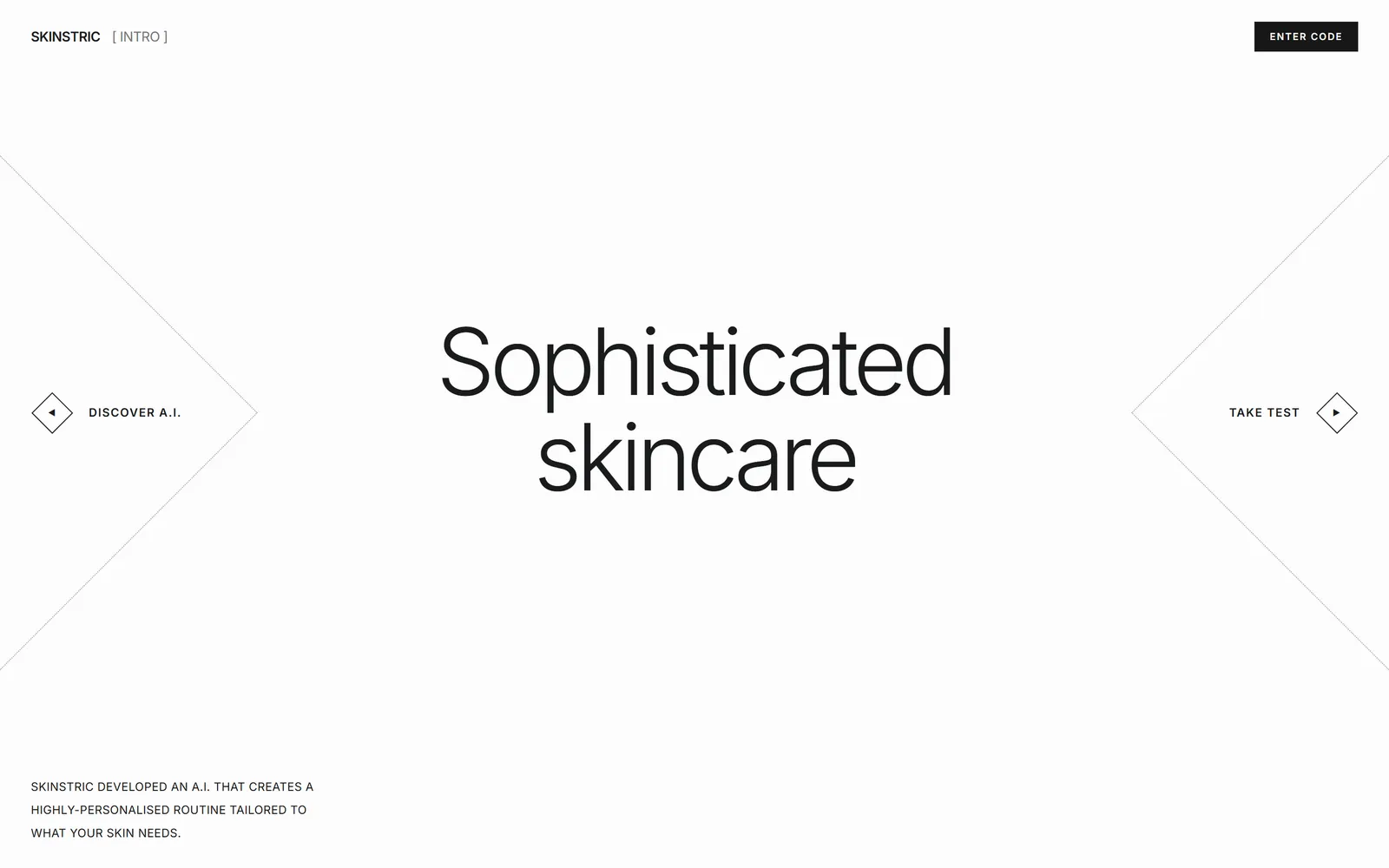
Hovering or focusing TAKE TEST slides the headline aside and blooms the diamond around it. DISCOVER A.I. mirrors it from the other side.
Intake in two questions
Name, then city, sent to the first API step. PROCEED only appears once there is something to send.
Camera or gallery
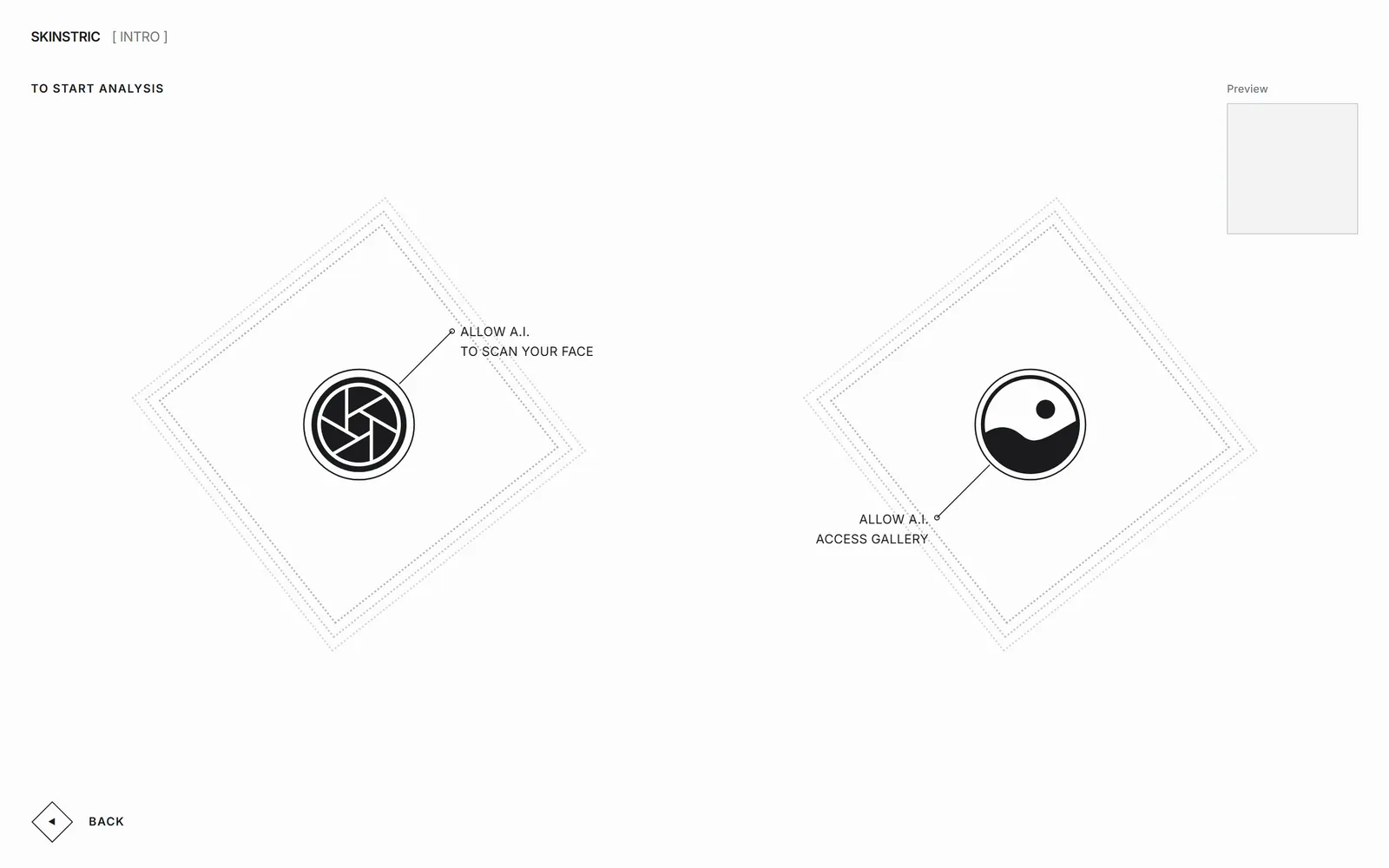
The camera asks for permission first. The gallery takes a click or a dragged photo, and a Preview box shows the image being analysed.
A real camera screen
A mirrored selfie preview with a matching capture, a capture flash, Space or Enter to shoot, and retake or proceed before anything is sent.
Results you can correct
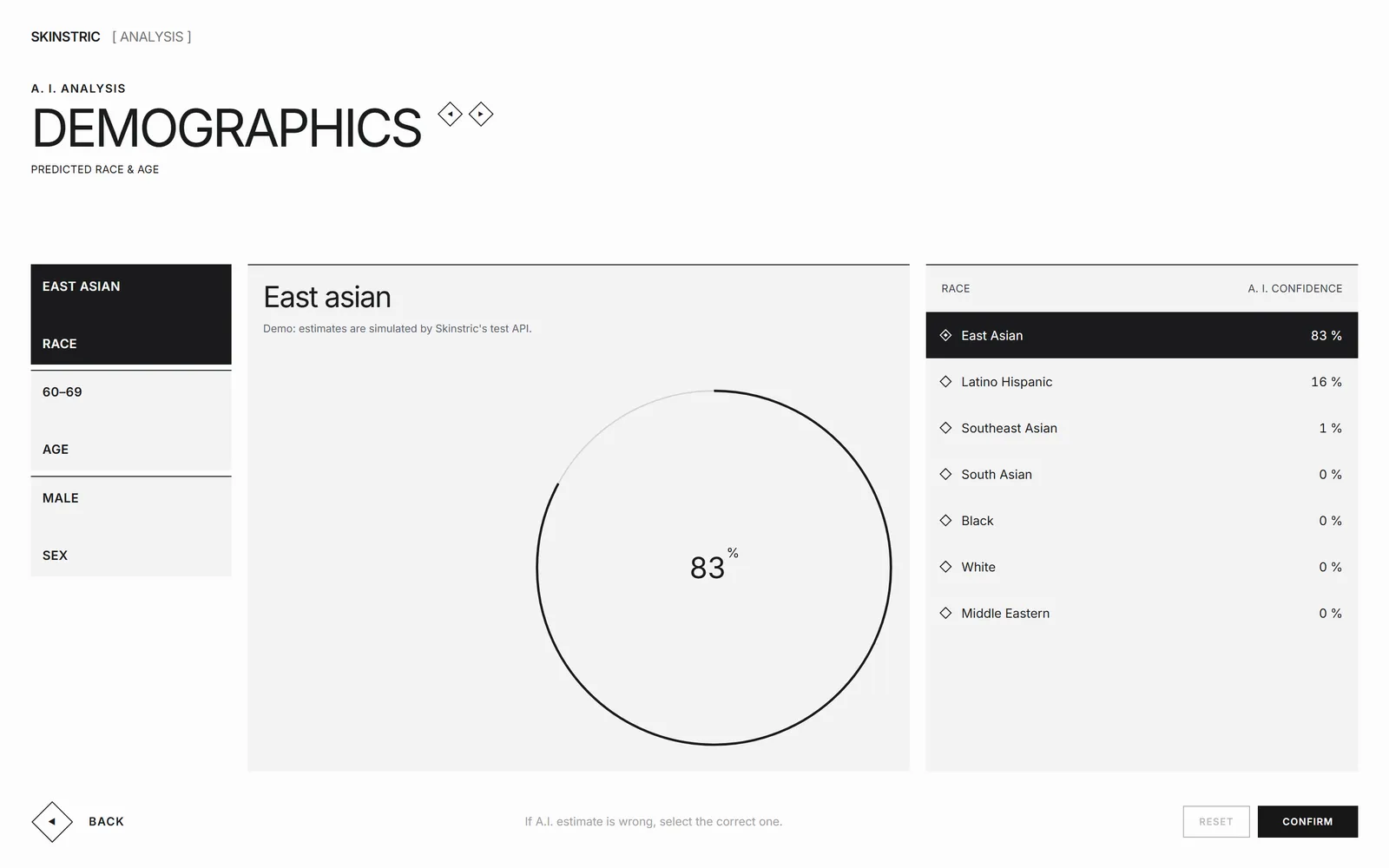
Race, age and sex each show the A.I.’s pick with a confidence ring, plus every other option to choose instead. RESET and CONFIRM, and confirmed corrections are kept.
Designed for phones too
Every screen has its own phone layout, not a squeezed desktop one.
The decisions that matter, and why.
- 01
Shrink the photo before it leaves the browser
Phones hand over photos of several megabytes, which is slow on mobile data and risks the upload limit, and the model doesn’t need 4000 pixels to read a face. Every photo is redrawn to at most 1024 pixels on its long edge and re-encoded as a JPEG first, keeping phone portraits upright.
- 02
Every screen survives a refresh
What the visitor entered, the photo and the analysis live in session storage, so a refresh or a pasted link picks up where it was. A screen whose earlier step is missing sends the visitor back one step instead of showing a broken page.
- 03
Trust the live API over the brief
The brief says step one answers with a misspelled SUCCUSS key; the live API answers with success and message. The code accepts either, and never trusts a 200 status on its own because the API returns 200 for almost everything.
- 04
Say what the data is
Skinstric’s test API returns simulated demographics by design. The results screen says so in plain words, so no one reads a demo number as a real prediction.
- 05
The camera turns off the moment it’s done
The stream is stopped as soon as the picture is taken, so the camera light goes off. Blocked, missing and busy cameras each get their own message, with a way to try again or upload a photo instead.
- 06
Keyboard, screen readers and reduced motion
Every hover state also works on keyboard focus, the options list is a real radio group that arrow keys move through, status changes are announced, and all motion is plain CSS that switches off for anyone who asks for less.
Skinstric is live and approved. The analysis hub already has its other three areas laid out, ready for the day the API returns more than demographics.
Talk about a build like this